Module 4
5 min
LOWER, UPPER & TRIM
Change text case and remove extra spaces
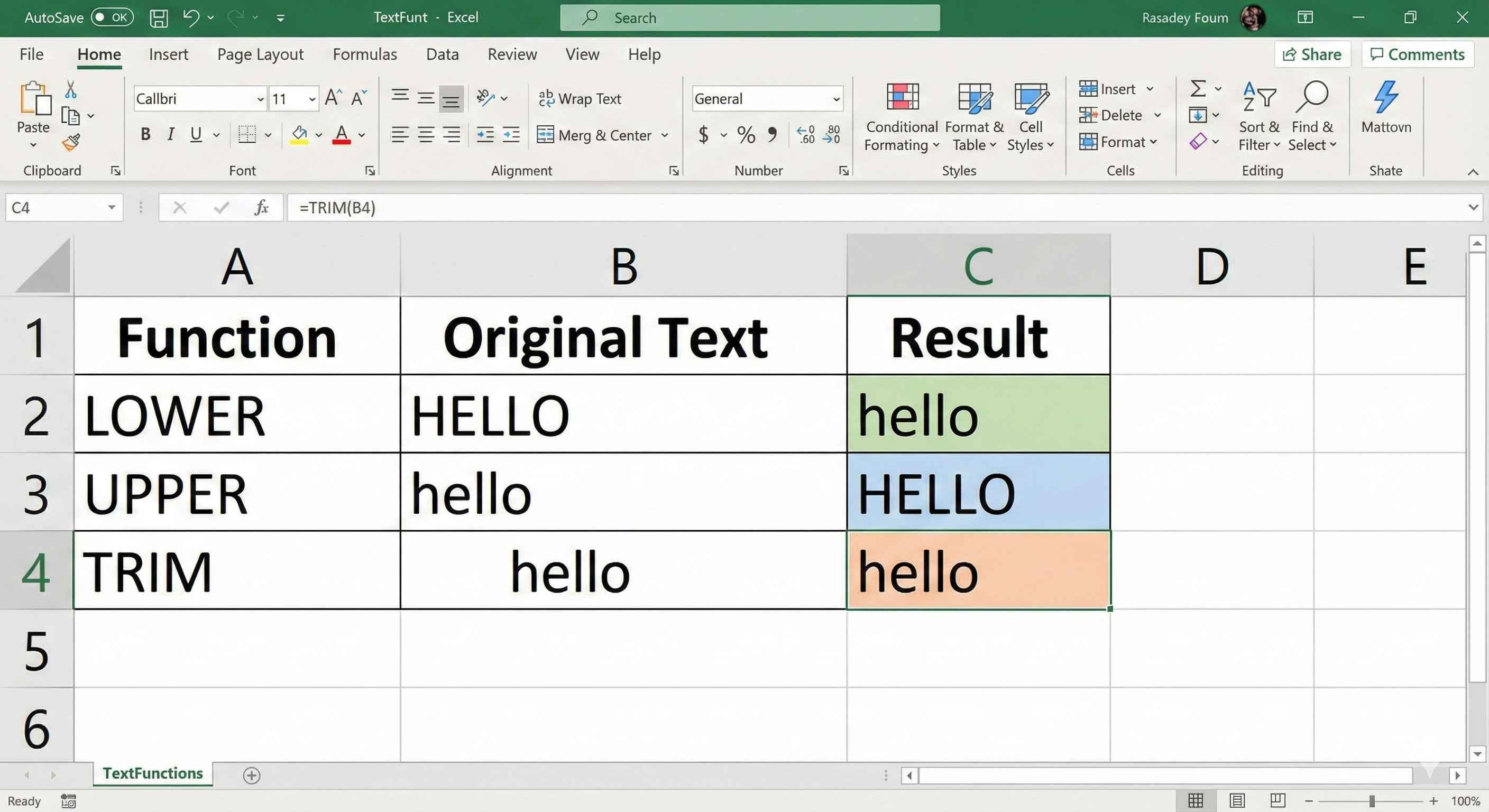
LOWER, UPPER & TRIM Functions
These 3 functions help you clean up messy text in seconds!
Why Do You Need These?
Ever received data like this?
| Messy Data |
|---|
| JOHN SMITH |
| mary jane |
| Bob Wilson |
| ALICE BROWN |
4 rows
Extra spaces, random CAPS... it's a mess! These functions fix it.
LOWER Function
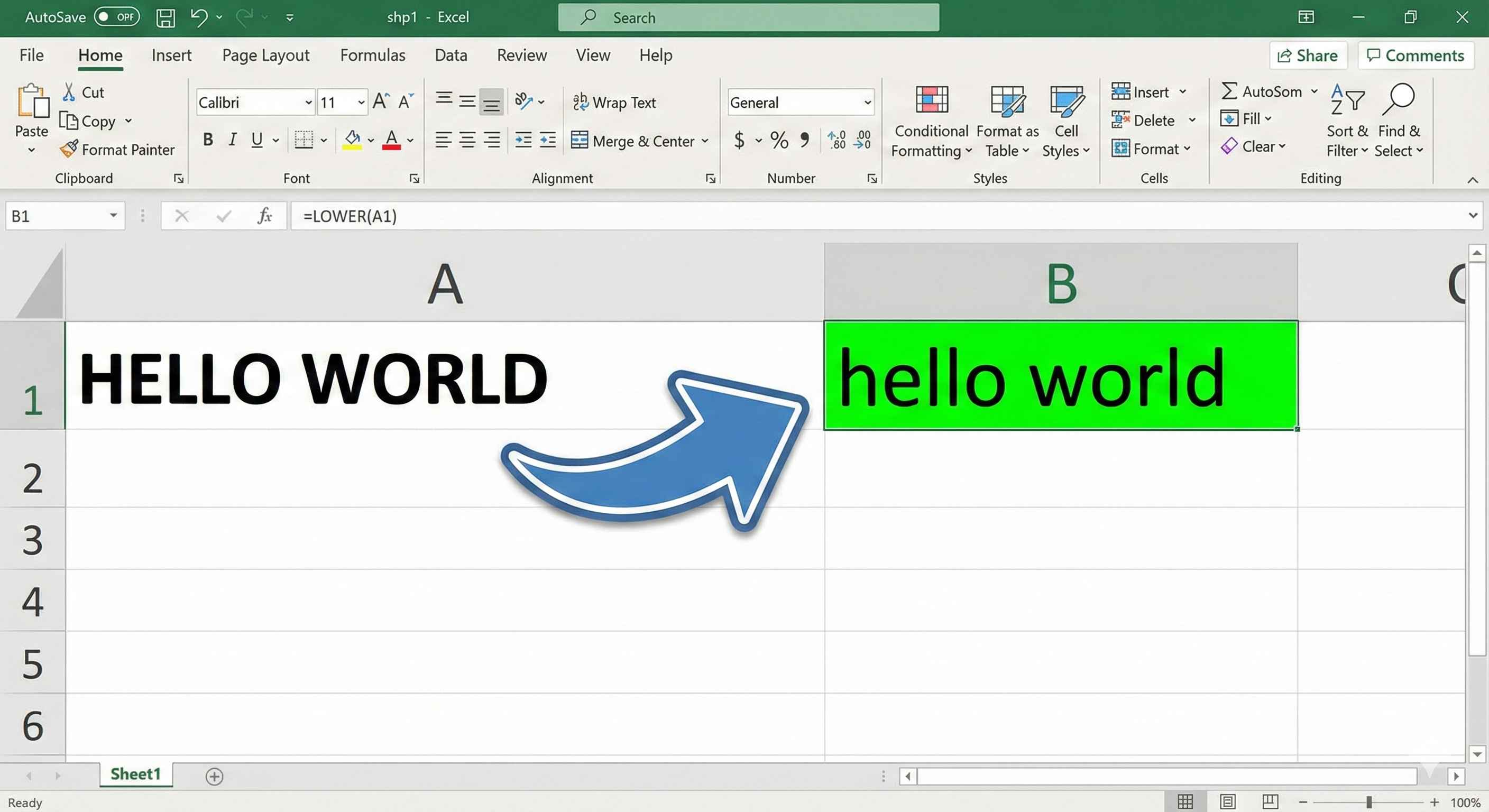
Converts ALL text to lowercase.
Formula
=LOWER(text)
Example
| A | B |
|---|---|
| HELLO WORLD | =LOWER(A1) |
| hello world |
2 rows
More Examples
| Original | Formula | Result |
|---|---|---|
| JOHN | =LOWER(A1) | john |
| HeLLo | =LOWER(A1) | hello |
| ABC123 | =LOWER(A1) | abc123 |
| NEW YORK | =LOWER(A1) | new york |
4 rows
UPPER Function
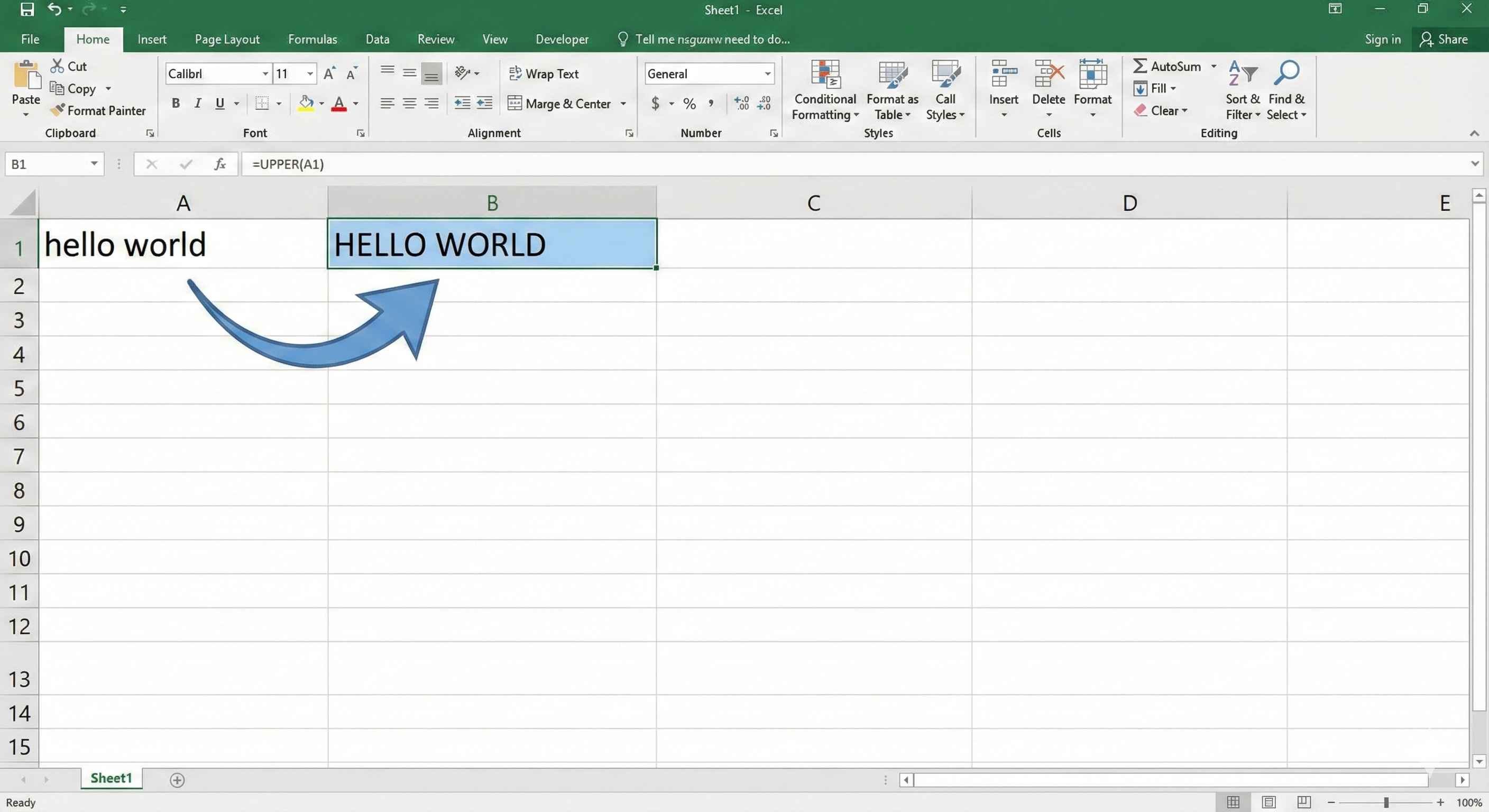
Converts ALL text to UPPERCASE.
Formula
=UPPER(text)
Example
| A | B |
|---|---|
| hello world | =UPPER(A1) |
| HELLO WORLD |
2 rows
More Examples
| Original | Formula | Result |
|---|---|---|
| john | =UPPER(A1) | JOHN |
| HeLLo | =UPPER(A1) | HELLO |
| abc123 | =UPPER(A1) | ABC123 |
| new york | =UPPER(A1) | NEW YORK |
4 rows
TRIM Function
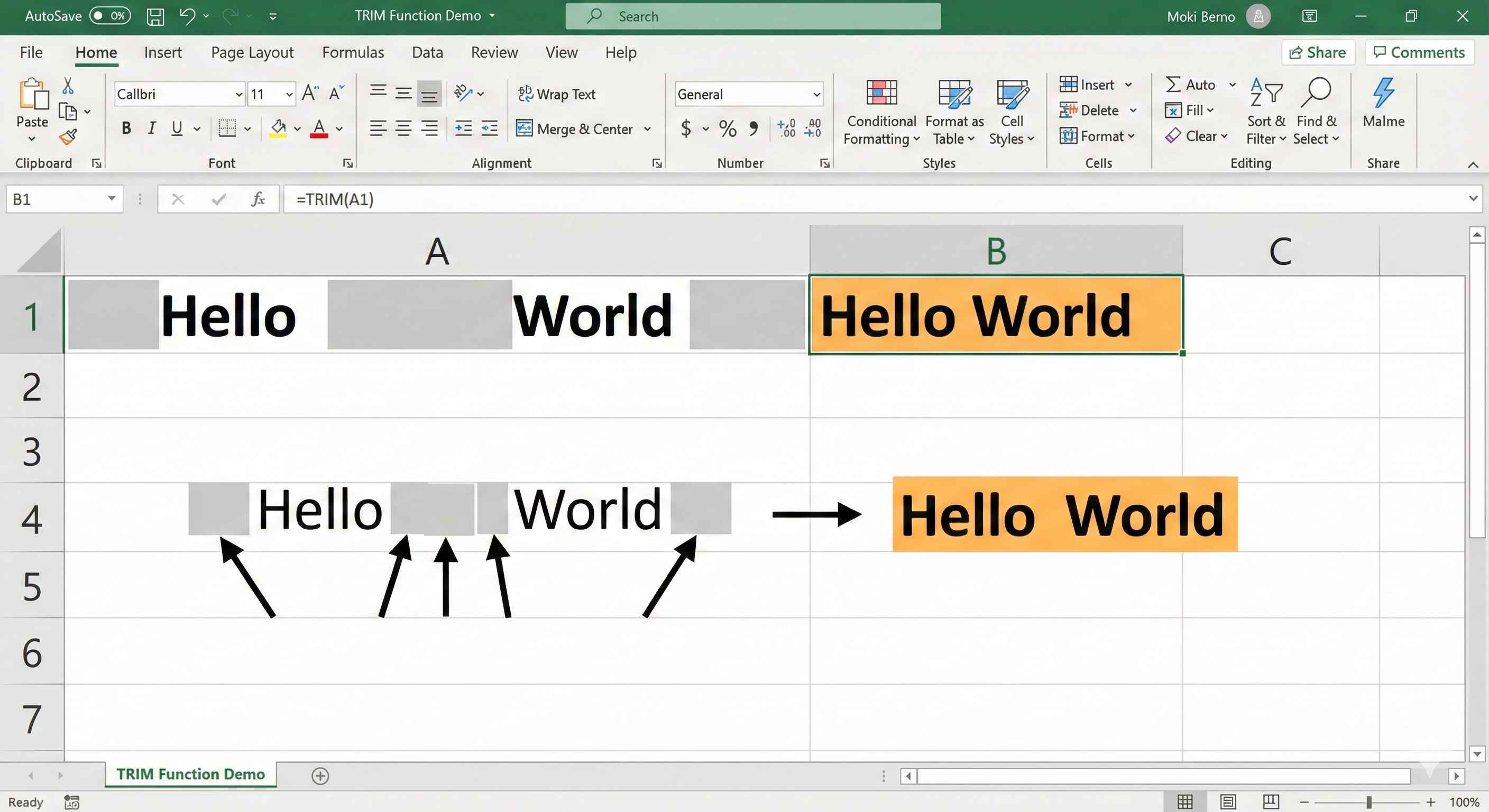
Removes extra spaces from text.
- Removes spaces at the start
- Removes spaces at the end
- Keeps only ONE space between words
Formula
=TRIM(text)
Example
| A | B |
|---|---|
| Hello World | =TRIM(A1) |
| Hello World |
2 rows
More Examples
| Original | Formula | Result |
|---|---|---|
| John | =TRIM(A1) | John |
| Hello World | =TRIM(A1) | Hello World |
| A B C | =TRIM(A1) | A B C |
| No extra spaces | =TRIM(A1) | No extra spaces |
4 rows
Combine Them Together!
The real power is using them together.
Clean Up Names
=TRIM(UPPER(A1))
| Messy Name | Formula | Clean Result |
|---|---|---|
| john smith | =TRIM(UPPER(A1)) | JOHN SMITH |
| MARY jane | =TRIM(LOWER(A1)) | mary jane |
2 rows
Real World Example
| Raw Data | Cleaned Data |
|---|---|
| [email protected] | [email protected] |
| Mary Smith | mary smith |
| ABC 123 XYZ | ABC 123 XYZ |
3 rows
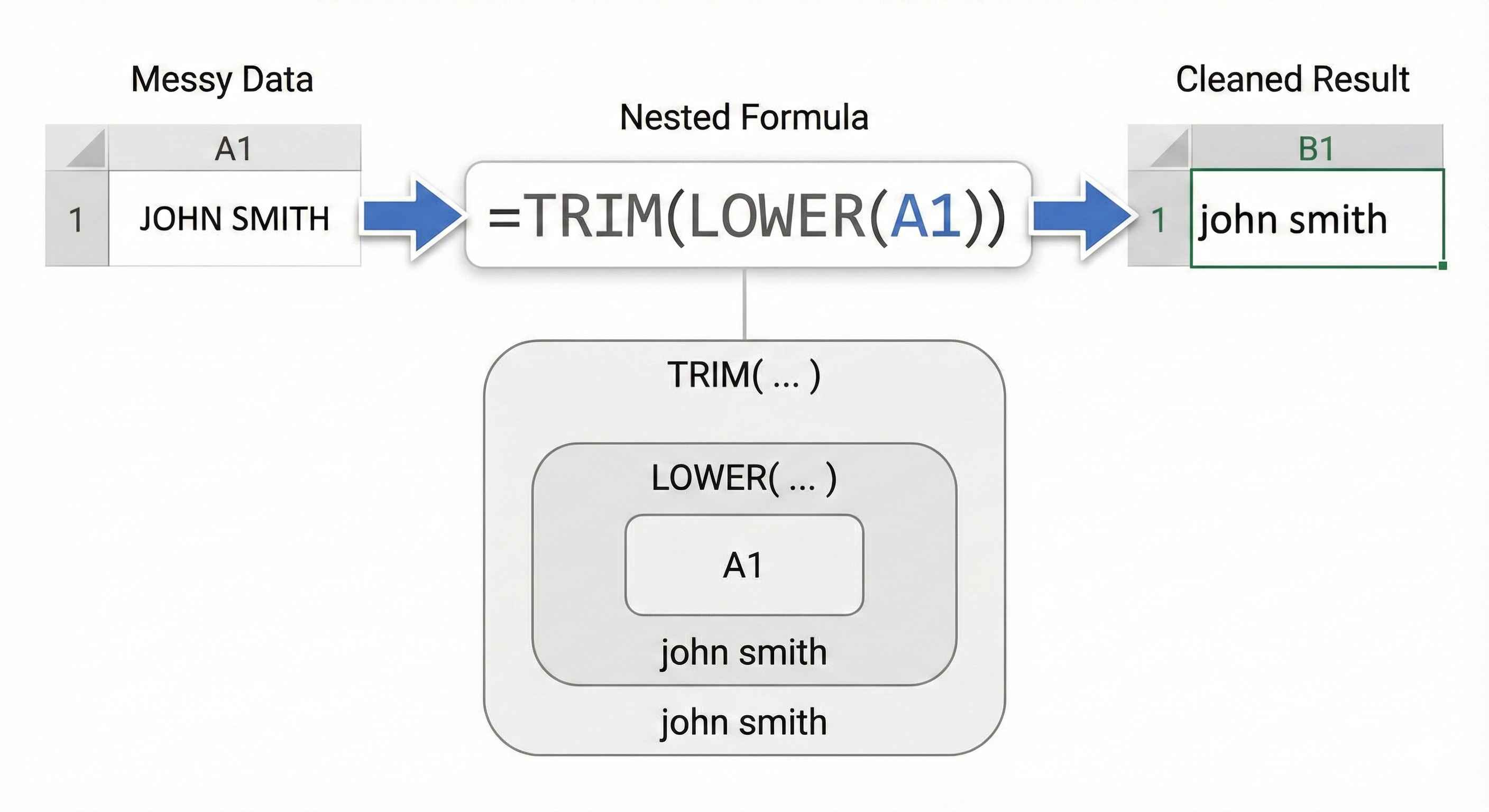
Formula: =TRIM(LOWER(A1))
Quick Reference
| Function | Does What | Example Result |
|---|---|---|
| LOWER | All lowercase | hello world |
| UPPER | All UPPERCASE | HELLO WORLD |
| TRIM | Remove extra spaces | Hello World |
3 rows
Bonus: PROPER Function
Makes First Letter Of Each Word uppercase.
=PROPER(text)
| Original | Formula | Result |
|---|---|---|
| john smith | =PROPER(A1) | John Smith |
| HELLO WORLD | =PROPER(A1) | Hello World |
| mARY jANE | =PROPER(A1) | Mary Jane |
3 rows
Perfect for formatting names!
Summary
- LOWER → all lowercase
- UPPER → ALL UPPERCASE
- TRIM → removes extra spaces
- PROPER → First Letter Caps
- Combine them:
=TRIM(LOWER(A1))