XLOOKUP
The modern and easier way to look up data in Excel
XLOOKUP - Find Anything in Excel
XLOOKUP helps you find information in a table. Think of it like searching Google - you type what you want, and it gives you the answer!
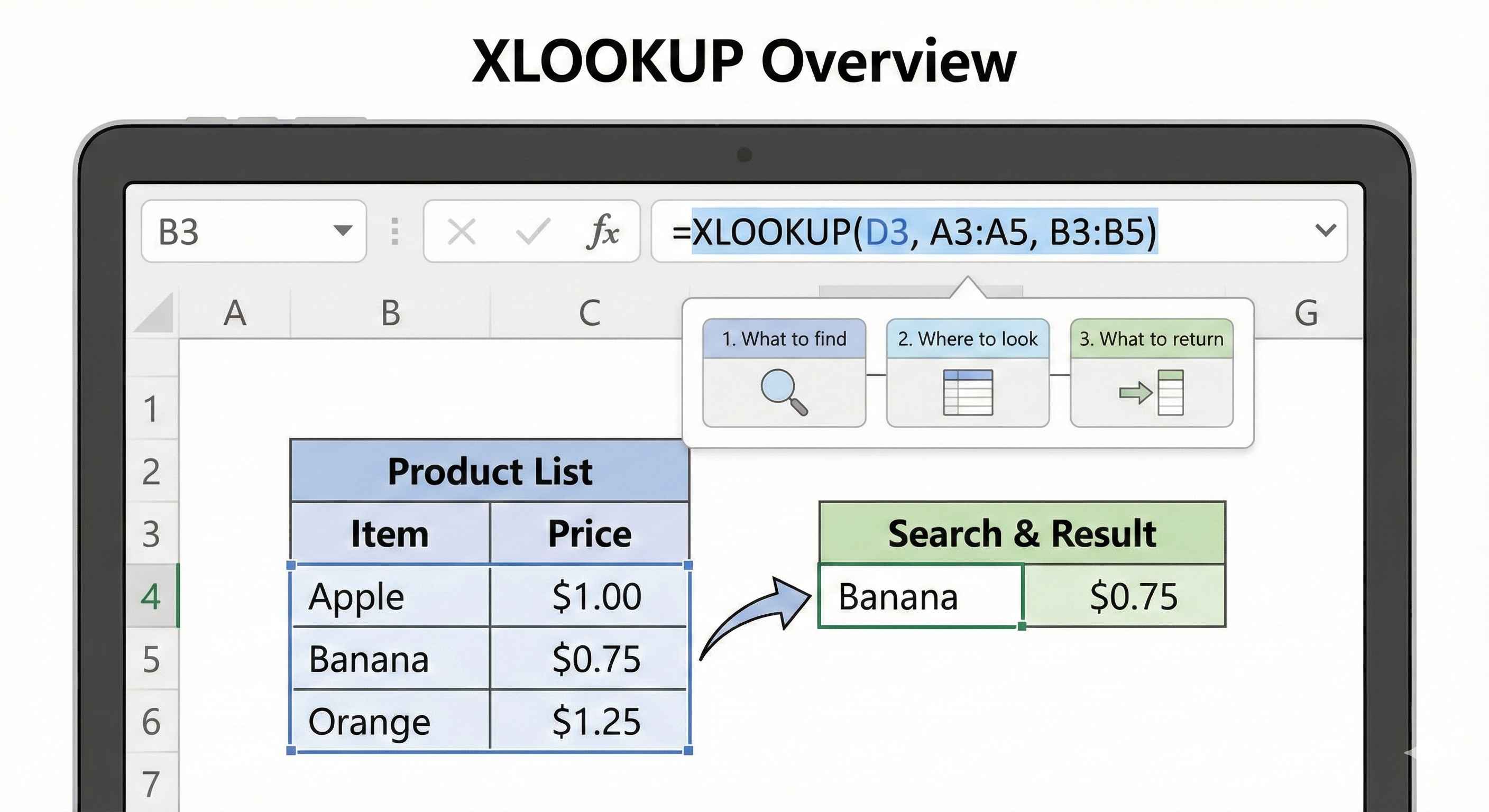
What is XLOOKUP?
Imagine you have a price list with 1000 products. Someone asks: "What is the price of Banana?"
Instead of scrolling through 1000 rows, XLOOKUP finds it for you instantly!
The Simple Formula
=XLOOKUP(find_this, look_here, return_from_here)
| Part | What It Means | Example |
|---|---|---|
| find_this | What are you searching for? | Banana |
| look_here | Which column to search in? | A:A (names column) |
| return_from_here | Which column has the answer? | B:B (price column) |
Your First XLOOKUP
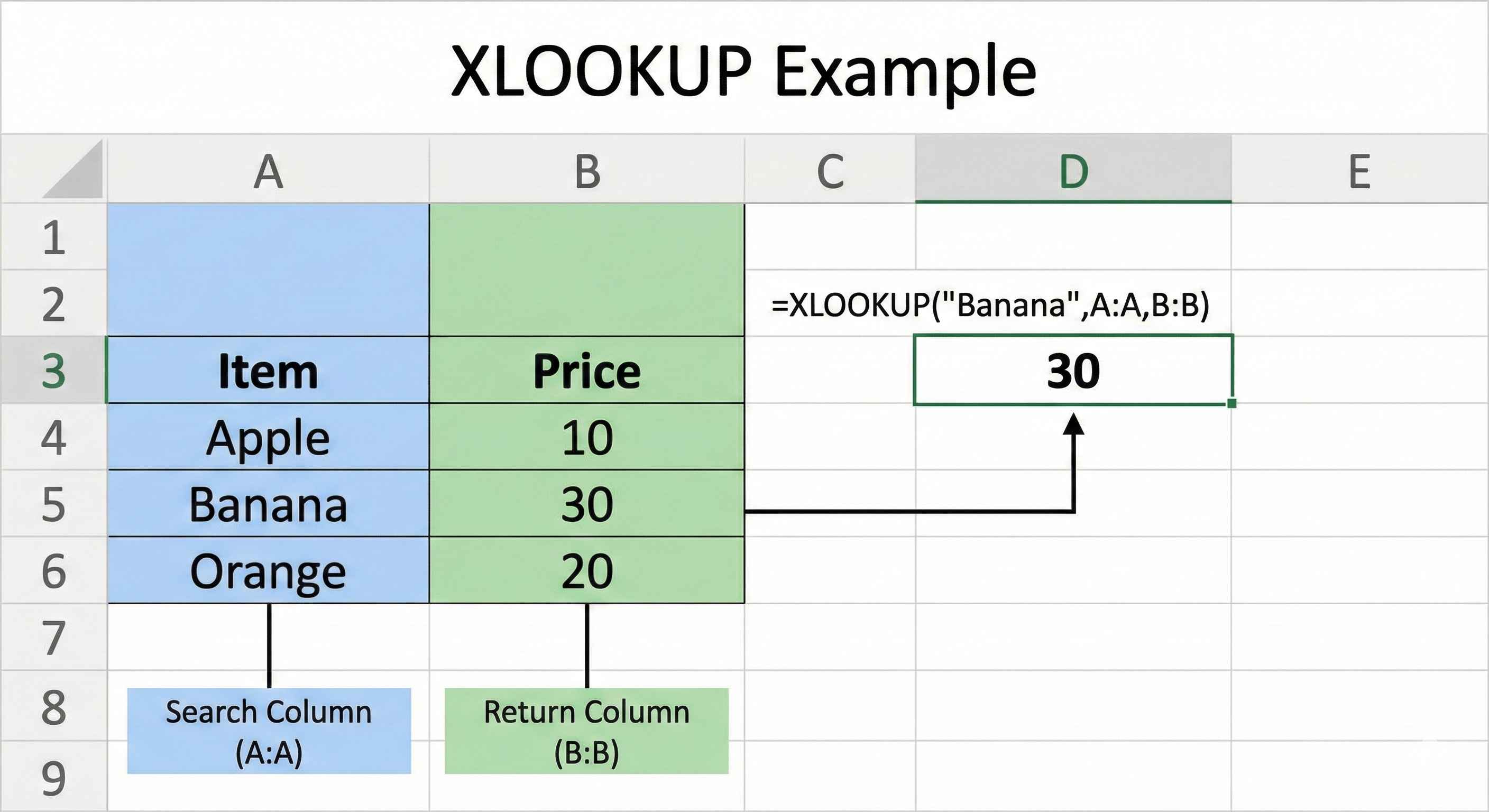
You have this data:
| A (Product) | B (Price) |
|---|---|
| Apple | 50 |
| Banana | 30 |
| Orange | 40 |
Question: What is the price of Banana?
Formula: =XLOOKUP("Banana", A:A, B:B)
Answer: 30
Step by Step
- Type
=XLOOKUP( - Type what to find:
"Banana" - Add comma, select search column:
A:A - Add comma, select answer column:
B:B - Close bracket:
)
Final: =XLOOKUP("Banana", A:A, B:B)
Search in Any Direction
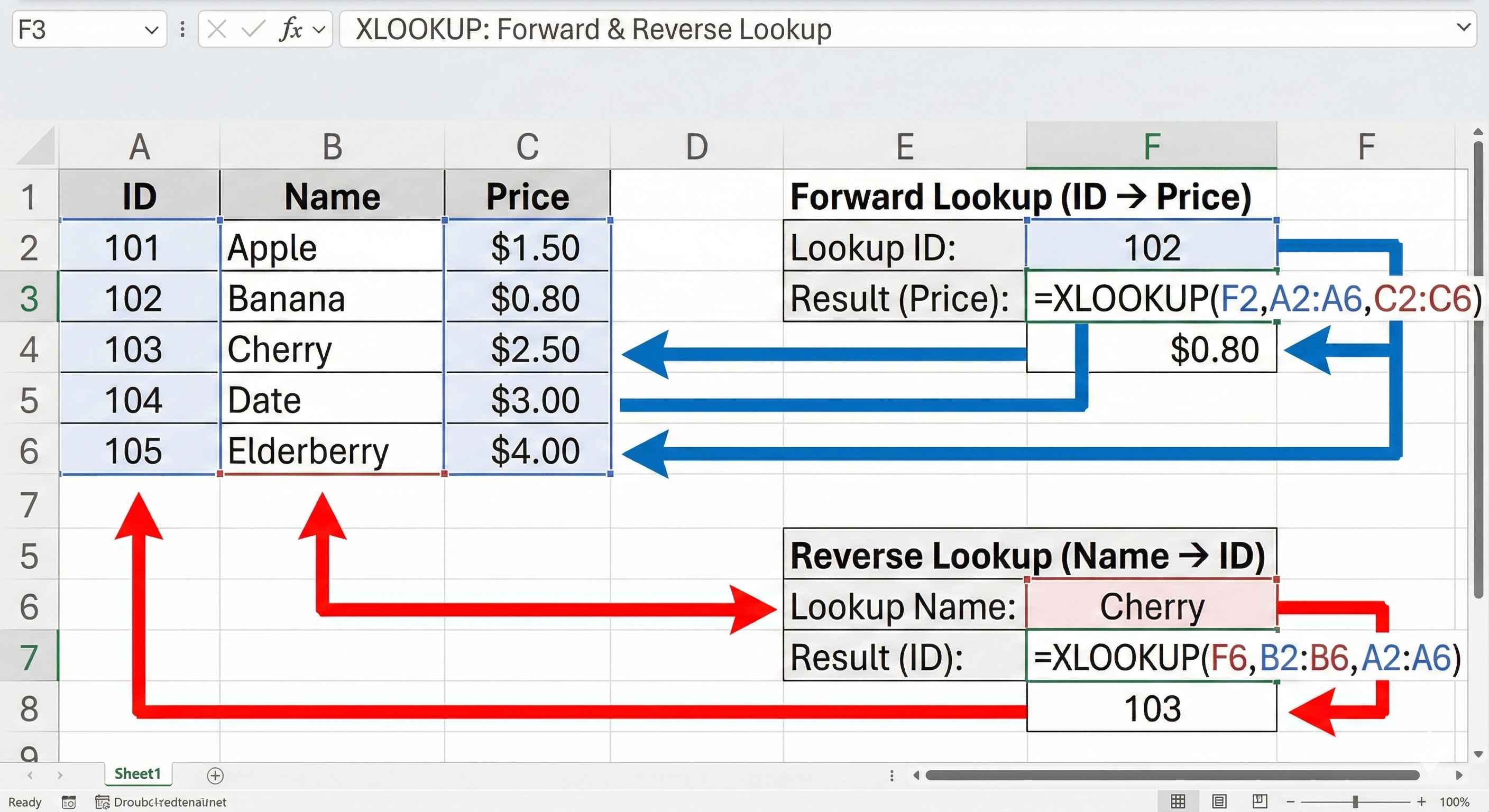
The best part - XLOOKUP can search ANY column!
| A (ID) | B (Name) | C (Price) |
|---|---|---|
| 101 | Apple | 50 |
| 102 | Banana | 30 |
| 103 | Orange | 40 |
Find price by ID: =XLOOKUP(102, A:A, C:C) → 30
Find ID by name: =XLOOKUP("Orange", B:B, A:A) → 103
What If Not Found?
If you search for something that does not exist, Excel shows #N/A error.
You can show a friendly message instead:
=XLOOKUP("Mango", A:A, B:B, "Not Found")
If Mango does not exist → Shows "Not Found"
Quick Reference
| Task | Formula |
|---|---|
| Basic lookup | =XLOOKUP(value, search_col, return_col) |
| With not found message | =XLOOKUP(value, search_col, return_col, 'Not Found') |
| From another sheet | =XLOOKUP(A1, Sheet2!A:A, Sheet2!B:B) |
Important
XLOOKUP works in:
- Excel 365
- Excel 2019+
- Excel Online
If you have older Excel, use VLOOKUP instead.
Summary
- XLOOKUP finds data in tables
- Formula:
=XLOOKUP(find, search_column, return_column) - Can search in any direction
- Add 4th part to show custom "not found" message