AVERAGE Functions
Calculate average with or without conditions
AVERAGE, AVERAGEIF & AVERAGEIFS
Find the middle value of your numbers!
AVERAGE
Calculates average of all numbers.
=AVERAGE(range)
| A |
|---|
| 10 |
| 20 |
| 30 |
| 40 |
| 50 |
=AVERAGE(A1:A5) → 30
(10+20+30+40+50) ÷ 5 = 30

AVERAGEIF
Average of numbers that match one condition.
=AVERAGEIF(range, criteria, average_range)
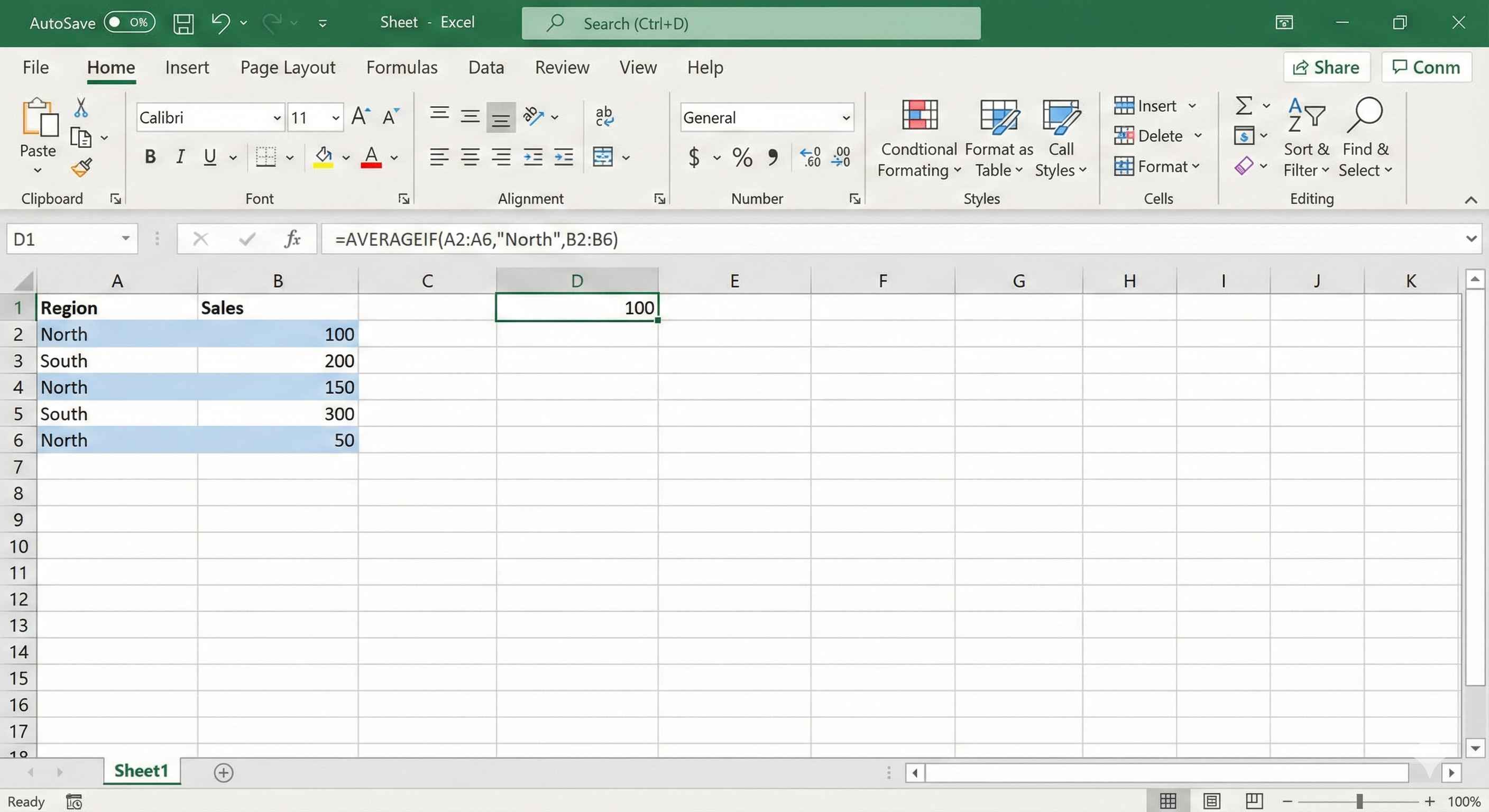
Example: Average sales for "North"
| A (Region) | B (Sales) |
|---|---|
| North | 100 |
| South | 200 |
| North | 150 |
| South | 300 |
| North | 50 |
=AVERAGEIF(A1:A5, "North", B1:B5) → 100
(100+150+50) ÷ 3 = 100
AVERAGEIF with Numbers
Average of scores above 50:
=AVERAGEIF(A1:A5, ">50")
| A (Scores) |
|---|
| 40 |
| 60 |
| 80 |
| 30 |
| 70 |
Result → 70 (60+80+70) ÷ 3
AVERAGEIFS
Average with multiple conditions.
=AVERAGEIFS(avg_range, range1, criteria1, range2, criteria2, ...)
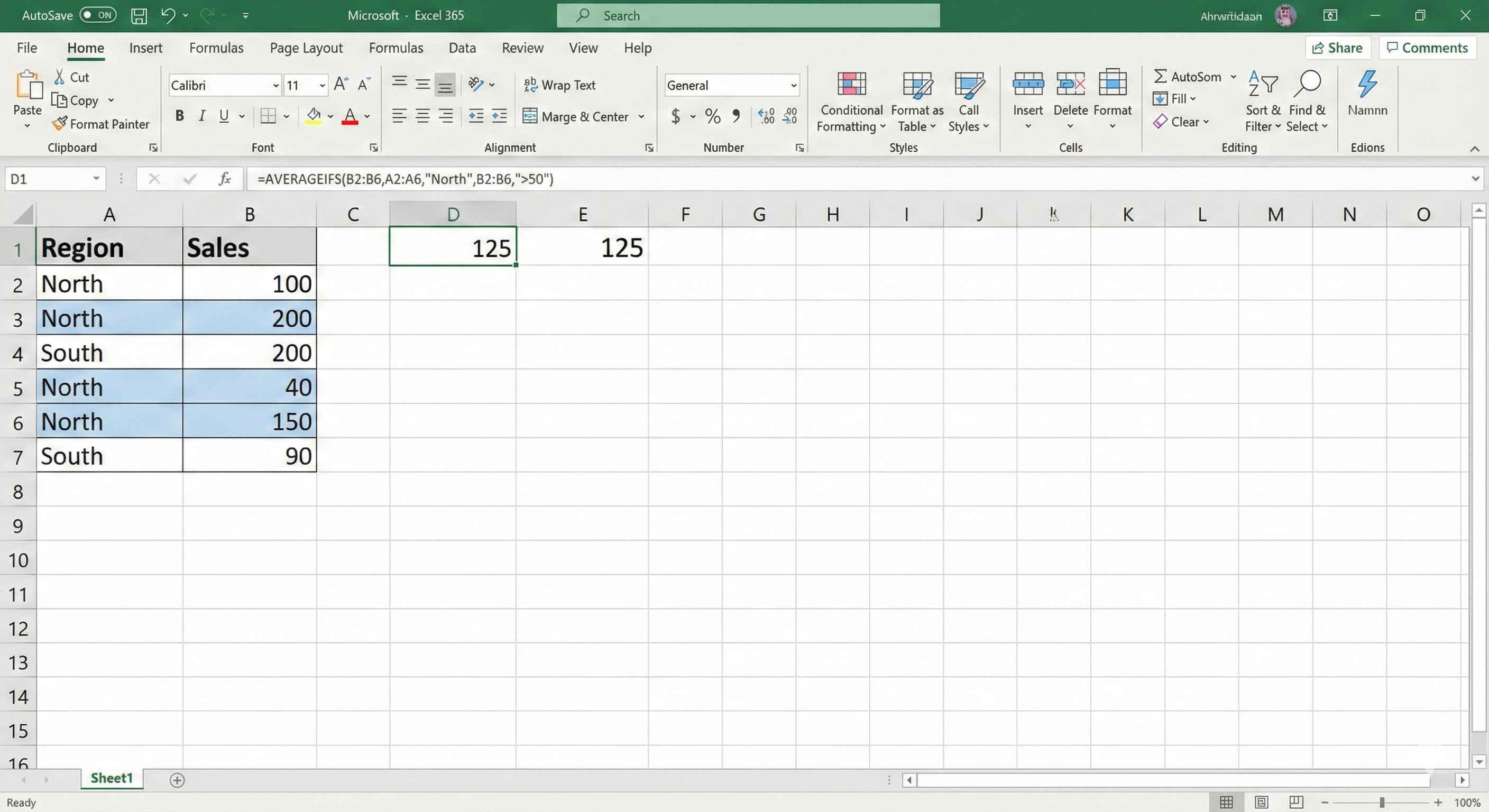
Example: Average North sales > 50
| A (Region) | B (Sales) |
|---|---|
| North | 100 |
| South | 200 |
| North | 40 |
| North | 150 |
| South | 90 |
=AVERAGEIFS(B1:B5, A1:A5, "North", B1:B5, ">50") → 125
(100+150) ÷ 2 = 125
Real Life Examples
Average student score:
=AVERAGE(B2:B50)
Average score for Class A:
=AVERAGEIF(A2:A50, "A", B2:B50)
Average salary: Dept = "IT" AND Experience > 3:
=AVERAGEIFS(C2:C100, A2:A100, "IT", B2:B100, ">3")
Quick Comparison
| Function | What It Does | Conditions |
|---|---|---|
| AVERAGE | Average of all | None |
| AVERAGEIF | Average with 1 rule | One |
| AVERAGEIFS | Average with many rules | Multiple |
Summary
- AVERAGE → average of all numbers
- AVERAGEIF → average with 1 condition
- AVERAGEIFS → average with 2+ conditions
- Ignores empty cells and text
- Put criteria in quotes:
"North",">50"